

Yeh article Docker Sandboxes ke experimental preview par based hai (November 2025). Features aur capabilities evolve ho sakti hain as the project matures. Latest updates ke liye official Docker documentation check karen.

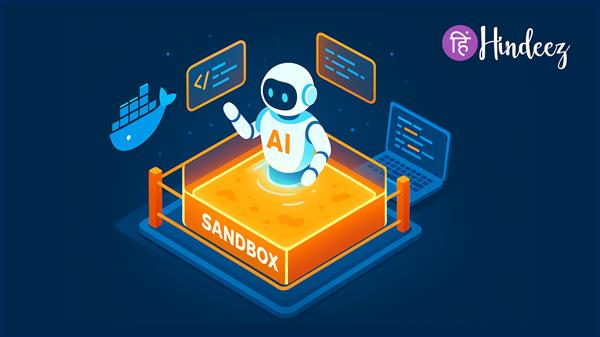
Tech giant Docker ne aaj ek groundbreaking feature announce kiya hai jo AI coding agents ke security concerns ko address karta hai. Docker Sandboxes naam ka yeh experimental preview developers ko ek safe environment provide karta hai jahan AI assistants apna kaam kar sakein bina user ke system ko risk mein daale.
Aaj kal AI coding agents jaise Claude Code aur Gemini CLI kaafi powerful ho gaye hain. Ye tools code likh sakte hain, files modify kar sakte hain, packages install kar sakte hain, aur aapke secrets ko bhi access kar sakte hain. Lekin sawal yeh hai – kya aap in AI agents ko apne computer par full access dena safe samajhte hain?
Yeh exactly waise hai jaise aap apni car ki keys kisi bahut smart stranger ko de rahe hain. Jab tak sab theek hai, sab achha lagta hai... lekin agar kuch galat ho jaye?
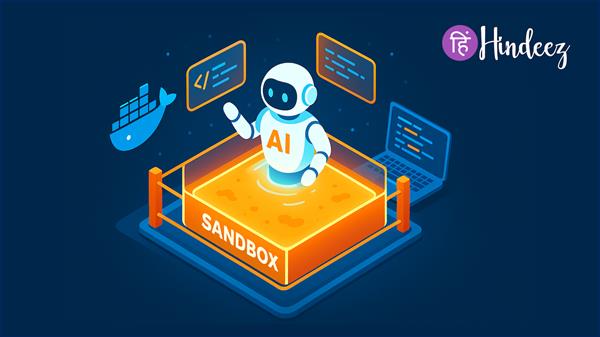
Docker ne is problem ka ek innovative solution nikala hai. Docker Sandboxes AI agents ko isolated containers mein run karta hai jo:
✅ Aapke workspace ko mirror karte hain – Agent ko woh sab milta hai jo usse kaam ke liye chahiye
✅ Strict boundaries enforce karte hain – Aapka actual system protected rehta hai
✅ Seamless workflow provide karte hain – Koi annoying permission prompts nahi
Isse aise samjhiye: Maan lijiye aapke ghar mein ek guest room hai. Aap apne AI agent ko us guest room mein rehne dete hain jahan:
Yahi hai Docker Sandboxes ka concept!
Docker Sandboxes container-based isolation use karta hai. Yeh approach traditional OS-level sandboxing se bahut behtar hai kyunki:
| Feature | Docker Sandboxes | Traditional OS Sandboxing | Virtual Machines |
|---|---|---|---|
| Startup Time | Seconds ⚡ | Slow | Minutes 🐌 |
| Permission Prompts | Nahi ✅ | Constantly 😤 | Depends |
| Cross-Platform | Consistent 🌍 | Platform-specific | Heavy |
| Resource Usage | Light 💨 | Medium | Heavy 🏋️ |
| Workflow | Smooth 🎯 | Interrupted | Complex |
Yeh feature currently experimental preview mein hai. Docker Desktop 4.50 ya uske baad ke versions mein available hai.
More agents coming soon! 🚀
# Docker Desktop 4.50+ install karen
# docker.com se download karen
Bahut simple hai:
# Apne project folder mein jayen
cd ~/my-project
# Agent ko sandbox mein run karen
docker sandbox run claude-code
# Ya Gemini CLI ke liye
docker sandbox run gemini-cli
Bas! Aapka AI agent ab secure sandbox mein kaam kar raha hai. ✅
# Navigate to your project
cd ~/my-awesome-app
# Start Claude Code in sandbox
docker sandbox run claude-code
# Ab Claude Code kar sakta hai:
✅ Files read aur modify kar sakta hai (sirf my-awesome-app mein)
✅ Packages install kar sakta hai (sandbox ke andar)
✅ Code run kar sakta hai
✅ Tests execute kar sakta hai
# Lekin nahi kar sakta:
❌ Parent directories access nahi kar sakta
❌ System files modify nahi kar sakta
❌ Other user data access nahi kar sakta
❌ Unrestricted network access nahi hai
Docker ka roadmap kaafi exciting hai:
Current: Agents Docker Desktop ke VM mein containers ke roop mein run hote hain
Future: Dedicated microVMs mein run honge
Benefits:
Network Access:
Secrets Management:
Centralized Policy Management:
Auditability:
Docker plans support karna:
Yeh sirf ek feature launch nahi hai – yeh AI agent security ke baare mein sochne ka tarika badal raha hai. Pehle developers ko choose karna padta tha: productivity ya safety. Docker Sandboxes dono provide karta hai.
Tech industry ke experts is move ko game-changer bata rahe hain. Jaise-jaise AI agents aur powerful hote ja rahe hain, aise security solutions ki zaroorat bhi badh rahi hai.
Bharat mein AI aur machine learning ka boom hai. Startups se lekar MNCs tak, sabhi AI-powered tools use kar rahe hain. Docker Sandboxes Indian developers ko:
Global developer community is announcement ko positive response de rahi hai. Docker Captain program ke members already is feature ko test kar rahe hain aur feedback share kar rahe hain.
"Finally, a solution that doesn't interrupt my workflow!" - Developer from Bangalore
"Perfect for our startup. Security without complexity." - CTO, Mumbai-based AI Startup
"Game-changer for AI-assisted development" - Docker Captain, India
Docker actively developers ke saath mil kar is product ko build kar raha hai. Company ne feedback ke liye dedicated email bhi share kiya hai: coding-sandboxes-feedback@docker.com
Docker ka vision clear hai: "Every coding agent should run in a sandbox by default."
Industry experts keh rahe hain ki container-based AI agent isolation ek major step hai safe AI development ki direction mein.
Security Perspective: "Container isolation provides the right balance between flexibility and security for AI workflows." - Cybersecurity Expert
Developer Experience: "This is exactly what we needed. No more choosing between productivity and safety." - Senior Developer
Enterprise Adoption: "Docker Sandboxes makes AI tools enterprise-ready. This will accelerate AI adoption in large organizations." - Enterprise Architect
Jaise-jaise AI tools aur sophisticated hote jayenge, aise security frameworks ki importance aur badhegi.
Agar aap Docker Sandboxes use kar rahe hain, toh yeh best practices follow karen:
# Pehle simple project se start karen
mkdir ~/test-sandbox
cd ~/test-sandbox
echo "print('Hello Sandbox')" > test.py
docker sandbox run claude-code# Docker Desktop ko updated rakhen
docker version
# New features aur security patches ke liye# Running sandboxes check karen
docker ps
# Resource usage monitor karen
docker stats# Stopped containers remove karen
docker container prune
# Space free karen
docker system pruneSolution:
# Check Docker running hai ya nahi
docker ps

# Docker Desktop version verify karen
docker --version

# Experimental features enabled hain ya nahi check karenSolution:
# Correct directory mein hain ya nahi check karen
pwd

# Workspace mounting verify karen
docker inspect <container_id>Solution:
Multiple layers of protection:
✅ Workspace files
✅ Necessary network endpoints
✅ Explicitly allowed secrets❌ System files
❌ Other user directories
❌ Unrestricted network
❌ Arbitrary secrets
❌ Host processesContainers lightweight hain:
Docker automatically manage karta hai:
Multiple agents efficiently run ho sakte hain:
# Terminal 1
docker sandbox run claude-code --workspace ~/project-a

# Terminal 2
docker sandbox run gemini-cli --workspace ~/project-b

# Dono independently run honge without interferenceGood News: It's FREE! (in experimental preview)
India mein AI adoption rapidly badh raha hai:
Docker Sandboxes is trend ko support karta hai by making AI tools:
Docker Sandboxes AI coding agents ke liye ek revolutionary approach hai. Yeh developers ko woh flexibility deta hai jo unhe chahiye, lekin security compromise kiye bina.
✅ Docker ne AI coding agents ke liye secure solution launch kiya
✅ Container-based isolation traditional methods se better hai
✅ Claude Code aur Gemini CLI ko support milta hai
✅ Docker Desktop 4.50+ mein available hai
✅ Future mein aur bhi features aane wale hain
✅ Indian developers ke liye game-changer hai
✅ Experimental hai abhi, lekin production-ready vision hai
Yeh experimental hai abhi, lekin vision production-ready hai. Agar aap AI coding tools use karte hain ya karna chahte hain, toh Docker Sandboxes definitely try karne layak hai.
Indian tech ecosystem mein, jahan innovation aur security dono important hain, Docker Sandboxes ek welcome addition hai.
Jaise-jaise AI aur powerful hota jayega, aise tools ki zaroorat aur badhegi. Docker ne right time par right solution provide kiya hai.
The future of safe AI development is here. Aap ready hain? 🚀


We hate spam as much as you do
© Hindeez 2026, All Rights Reserved